Pages

Showing posts with label inquiry. Show all posts

Saturday, November 3, 2012

#HurricaneSandy: An Authentic Twitter Adventure

Last weekend my student visited NYC and got stuck as Hurricane Sandy rolled in.  Luckily, his family was able to take shelter at a friend’s house in Brooklyn.  On Monday morning, I projected our classroom Twitter account on the Apple TV and suggested we tweet our classmate to see if he was ok.

He responded much to the joy of my six and seven year-olds.  

After connecting with he and his mom via Twitter, I asked if they could update us throughout the day.  The family was generous with their time and tweeted frequent weather reports and photos from the storm. 


As our day continued, my class used The Weather Channel app to learn more about Hurricane Sandy.  We looked at radar maps and talked about the timing of the storm and how it would fall on a full moon when tides are at their highest which would cause flooding in many areas (a nice connection to our current solar system inquiry).

After seeing photos and short video clips on The Weather Channel, my class had lots of questions. Here are few they tweeted to their classmate:


My student in NYC took the role of Hurricane Sandy reporter very seriously and answered all the questions his friends posted. 


In class, at least once every hour, students asked, “Did we get any new tweets?”  I sent an email to our staff and invited other classrooms to learn along with us via Twitter. Soon, our 1st grade friend was sharing his storm experiences with our school.

The following day our Hurricane Sandy reporter continued to update us in the aftermath of the storm.  He walked around Brooklyn and shot various short videos that he posted to Twitter explaining some of the damage and storm clean-up measures.  Back in class, my students felt knowledgeable about the storm and were excited to learn more.  It also became an outlet for kids to connect with their classmate, since he would miss several days of school.


As the week progressed we continued to get updates from our reporter.  Checking in with Twitter became an opportunity to connect with our friend who would end up being out of school all week.  Throughout the week I watched my students—both near and far—share their learning and use social media to connect and collaborate.  Hurricane Sandy provided us an authentic opportunity to thoughtfully use social media in the classroom.   

Here are a few take-aways:

My students were empowered to be part of a learning network that was for students, by students.  So often, young children only have access to information that is filtered through an adult channel. While oftentimes that is appropriate, kids also need the model of other children as information providers.  By watching a peer research, report and field questions, student now have a "mentor" experience for what it looks like and sounds like to be an information sharer.  As Peter H. Johnston shared in Choice Words (2004) kids need to visualize themselves as a "can do" kid.  When young learners internalize the belief that "I'm the kind of kid who works as a reporter. I'm the kind of kid who asks good questions. I'm the kind of kid who ________," they experience the success, feedback and confidence that inspires them to make additional attempts in the future. Over time, this repetitive process produces kids who desire to think, learn, share and are inspired to do it again and again. My students were thrilled to see their classmate work as a reporter and now believe that any first grade student can do this important work. 

For the first time,  students saw Twitter as a place to ask questions, conduct research and gather new information.  Previously we had only used it to tell others about our learning. Now, students see Twitter as a tool for learning.  I spend a lot of time in first grade teaching my students where they can go to find answers to their questions; now they can add school-supervised Twitter to their list of resources. 

Connecting with a classmate via Twitter allowed students to emotionally process the storm.  Their peer told about his safety plan and how residents were told to prepare for the storm.  My students were able to see that unusual things--like superstorms--do happen, but that adults around the country prepare for these events and have a plan for when they occur. Watching their peer's video tweets and seeing NYC clean up and get back to normal was therapeutic for all  involved.


After tweeting and blogging to our reporter, my class now sees social media as an effective tool for connecting with others.  In addition to our classroom tweets, each day students commented on his Kidblog.  Students posted comments to see how he was doing or to ask for an update on the hurricane.  As a result of this collaborative learning experience, my kids now think like connected learners.  This was apparent Friday afternoon as we said goodbye to a student who was moving.  As students sat on the rug and said goodbye and good luck to their friend, one girl said,  "Make sure to tweet us ok?  And send some of those video tweets so we can learn about your new house and your new school." Another child chimed in, "And leave lots of comments on our blog!" 

YES! I cheered silently in my head as I saw my students think like connected, empowered learners.  This is why we do this!  I am very grateful to my student and his family for engaging in this authentic learning experience.  Together, we have provided students a foundational experience for using social media in the classroom. I can't wait to see what we learn next!


Do you have a classroom Twitter account?  We'd love to connect with you! Follow us @Burley106

Video used with permission from the family


Monday, March 19, 2012

A Big Day for Big Learning! Active Agents in a Digital World

What a great day in first grade! We had a big day of learning and saw exactly how our thinking matters in the larger community. Way to live a curious life first graders!

Each Wednesday we follow Wonderopolis.org and engage in our "Wonder Wednesday" challenge. We view recent wonders posted to the website and then create our own blog posts, either responding to Wonderopolis or sharing our own wonderings.

This site has become a classroom favorite and kids now visit it throughout the week. On Friday, one student was thinking ahead to St. Patrick's Day and asked, "Are leprechauns real?"

As we pondered the question, someone said, "Hey! I know! Let's send the question to Wonderopolis." So we did. I modeled how to submit a question on my iPad and projected it for the class to see. We submitted our question and then several students submitted additional wonders to the Wonderopolis website.

Well on Saturday morning, you can imagine how THRILLED I was when I checked my Twitter feed and saw the Wonder of the Day.

I could hardly wait for my students to enter the building! As soon as they came in, I had them get their iPads and go straight to the website. When my class saw Wonder #531 the room erupted in squeals! Such joy! Total amazement! What a feeling of empowerment!

I have been teaching my kids all year that they need to live a curious life. Ask questions. Seek answers. Look for deeper meaning. Have a set of resources that can help you find the answers to your questions. Access experts in your every day life.

Today Wonderopolis gave them a foundational experience for what it feels like to be a digital citizen and member of the global learning community. My kids have now experienced curiosity and the "search curriculum." They are inspired to ask again and are moved to let the world know their thinking matters! Today they truly believe that others are interested in their ideas and the thoughts and questions they have to share.


After celebrating this milestone, my students got right to working letting people know that their wonder had been answered. Nearly every child posted a new blog announcing the "big news." Six students created iMovies with student interviews and screen shots from Wonderopolis. Four children created instructional eBooks on how to use Wonderopolis and another is currently working on a Keynote to share with the kindergarten class.

THIS is the type of thinking and learning that matters.

My students know how to ask, use and share information. They can name and employ tools to document their thinking and take it public to teach others. They are active agents in their own curriculum development and they confidently promote learning.

What more could a teacher ask for?

THANK YOU Wonderopolis for making this monumental day of learning possible!
I know that this experience has changed my students as digital citizens and will serve as a catalyst for future learning. Three cheers for Wonderopolis and the curious kids in Room 106!

Tuesday, November 30, 2010

Collaborating with Simplenote

The upper grade students at Burley have a number of opportunities to communicate and collaborate electronically -- student blogs and wikis, education-focused social networking, iChat, and so on -- and we often remark on how engaged and focused students are with this type of communication. Students have told us that they like the opportunity to participate at their own pace and to read the ideas of others before chiming in. They say they participate more because they can share their ideas when they have them, rather than waiting to be called on or for someone else to finish.

Simplenote is a free app that allows students to collaborate in real time using the iPad. Each iPad is set up to access a single Simplenote account. As students create their own notes, a left-hand note navigation list displays all the notes in real time. Students can pull up one another's notes to get ideas and then return to their own note to do their own writing. The teacher can access all the notes (in real time, or after the lesson) by logging in to simplenoteapp.com.

To make this work with the students, we developed a lesson to model effective collaboration using Simplenote. We begin by talking to students about how they usually share ideas with one another. Students say that they turn and talk, or talk in their learning groups, or listen to other people when the teacher calls on them. Then we explain that the iPad can give them a new way to share their ideas with one another. Using a document camera and projector, we demonstrate how to create a note in Simplenote. Then, we have a student use another iPad to create a note. Students notice instantly that the student note appears on the teacher's screen. The teacher then goes in to the student's note, reads it, reflects on a new idea, and then incorporates that new idea into his or her own note. We explain that the purpose is for everyone to generate ideas about a particular topic, but at the end of class, we want students to be able to share one idea they got from another student's note. We also make it clear that they can only write in their own note and talk about how it would negatively affect our ability to work together if people don't follow that rule.

As the students work, we circulate and prompt students to check one another's notes for new ideas. We ask them what ideas they have gotten from their classmates. At the end of class, we gather on the rug and view the list of notes in the web browser at simplenoteapp.com. Student volunteers share the ideas they got from one another as we display the notes on the screen. In this way, students can concretely see the flow of ideas from one note to another and think about how this tool can help them work together.

It's pretty exciting for the students to be able to brainstorm with continuous and ongoing collaboration with the entire class. Students who have a hard time getting started can start by reading ideas of others. Students who are eager to jump in and can't wait can begin immediately and then expand on their initial ideas after reading classmates' notes. An additional benefit is that students are building early digital citizenship skills and, of course, applying their developing writing skills in a meaningful way. We're looking forward to applying this tool in student inquiry as students generate questions and brainstorm project ideas.

Tuesday, October 12, 2010

Next steps: getting ready for inquiry

Although we are still adjusting to the routines in our literacy centers, we are ready to begin using the iPads in our content area instruction and inquiry. A little background: our faculty has both studied and been featured in a book/DVD series by Stephanie Harvey and Harvey "Smokey" Daniels entitled Comprehension and Collaboration: Inquiry Circles in Action. Inquiry-based learning has led to increased student choice and engagement, deep and meaningful questioning, and real-world advocacy and action. Our iPad grant proposal centered around incorporating the iPad into all the stages of student inquiry for our first and second graders, in addition to supporting their literacy development. Now that we have a good foundation for using the iPads in literacy centers, we are ready to integrate them into into content area instruction.

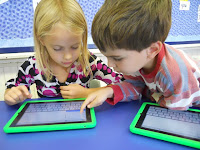
Our first step will be to use multimedia to inspire student questioning and build background knowledge. Teachers are preparing slide shows and selecting web sites about their upcoming content area units, and these will be used alongside print resources in the classroom to help guide students as they wonder about the content and plan their learning. First and second graders are visual learners, and the iPads bring them the ability to access, manipulate, and think about images at their own pace. Images inspire wondering and questioning. Questions build student interest and frame future research. Questioning is a key component in the inquiry process, and I think the iPads will make it a richer, more engaging experience for the students.

Students will be using the app Simplenote to list the questions they have as they view the images and slide shows. I have become a little obsessed with Simplenote today -- as the name implies, it's incredibly simple. Students can create their own notes on individual iPads, and the teacher can view them all in real time in a single browser window. I'll post again once I see how it works in practice, but my test runs have been left me very optimistic. And best of all, it's free!