Pages

Monday, March 19, 2012

A Big Day for Big Learning! Active Agents in a Digital World

What a great day in first grade! We had a big day of learning and saw exactly how our thinking matters in the larger community. Way to live a curious life first graders!

Each Wednesday we follow Wonderopolis.org and engage in our "Wonder Wednesday" challenge. We view recent wonders posted to the website and then create our own blog posts, either responding to Wonderopolis or sharing our own wonderings.

This site has become a classroom favorite and kids now visit it throughout the week. On Friday, one student was thinking ahead to St. Patrick's Day and asked, "Are leprechauns real?"

As we pondered the question, someone said, "Hey! I know! Let's send the question to Wonderopolis." So we did. I modeled how to submit a question on my iPad and projected it for the class to see. We submitted our question and then several students submitted additional wonders to the Wonderopolis website.

Well on Saturday morning, you can imagine how THRILLED I was when I checked my Twitter feed and saw the Wonder of the Day.

I could hardly wait for my students to enter the building! As soon as they came in, I had them get their iPads and go straight to the website. When my class saw Wonder #531 the room erupted in squeals! Such joy! Total amazement! What a feeling of empowerment!

I have been teaching my kids all year that they need to live a curious life. Ask questions. Seek answers. Look for deeper meaning. Have a set of resources that can help you find the answers to your questions. Access experts in your every day life.

Today Wonderopolis gave them a foundational experience for what it feels like to be a digital citizen and member of the global learning community. My kids have now experienced curiosity and the "search curriculum." They are inspired to ask again and are moved to let the world know their thinking matters! Today they truly believe that others are interested in their ideas and the thoughts and questions they have to share.


After celebrating this milestone, my students got right to working letting people know that their wonder had been answered. Nearly every child posted a new blog announcing the "big news." Six students created iMovies with student interviews and screen shots from Wonderopolis. Four children created instructional eBooks on how to use Wonderopolis and another is currently working on a Keynote to share with the kindergarten class.

THIS is the type of thinking and learning that matters.

My students know how to ask, use and share information. They can name and employ tools to document their thinking and take it public to teach others. They are active agents in their own curriculum development and they confidently promote learning.

What more could a teacher ask for?

THANK YOU Wonderopolis for making this monumental day of learning possible!
I know that this experience has changed my students as digital citizens and will serve as a catalyst for future learning. Three cheers for Wonderopolis and the curious kids in Room 106!

Monday, March 12, 2012

Photography with 5th Grade Students

Last week I had a very short technology class with 5th grade students in their classroom. I debated how much we could accomplish with new material in a grand total of 30 minutes on a day when students spent a tremendous amount of energy on the Illinois Standards Achievement Test. Enter the iPad.

In the next few weeks these 5th grade students are going to be focusing on photography to accompany their writing with both their classroom teacher as well as with me during Technology. The remarkable thing about having only 30 minutes to introduce this very large topic with my students but doing so with iPads, is that all 29 5th graders are sitting on the rug in front of me with a camera, digital darkroom, and publishing suite resting on their laps!


I did not have to do much of an introduction for the camera function on the iPad since they have used it frequently throughout the year. However, there are a couple of keys to crisp photographs on any point-and-shoot camera, and I’m putting the iPad in that category.

The first key is making sure your image is in focus. To assure you have the desired focus using the iPad’s built-in camera app, all you need to do is touch the area on the camera screen that you want as your focal point. The iPad will then display a blue box around that area and attempt to focus on it.

The second key to crisp photographs is reducing camera shake. This is not an easy task with the iPad, which is rather large and awkward for photography when compared with a camera. The strategy I gave to the 5th graders, was to make sure to hold the iPad with two hands in opposite corners to reduce the amount of shake. Then make sure one hand is positioned so that your thumb can stretch over to the “take photo” button on the screen. The last part with the thumb will be somewhat alleviated when the iPads are updated to iOS 5, in which case you can use the “volume up” button on the side to snap a photo.

Now with the limited time we had, I gave students three minutes to move about the classroom and take at least three photographs where an inanimate object was the main focal point. I had them arrange their compositions so that none of their classmates appeared in the photos, as the inclusion of “each other” in the images ends up providing a large distraction when sharing.

Students completed their photo-snapping, and I then gave them an introduction to an app called Snapseed. Snapseed is a very easy-to-use image manipulation app with a lot of pre-loaded effects and corrections. The regular cost of the app is $4.99, but if you keep an eye on it (perhaps with AppShopper), you can download it for free when they temporarily put it on sale as we did. Students used Snapseed to manipulate one or two of their chosen photographs, and then saved them to their Camera Roll.


The last step in this 30-minute activity was sharing our favorite photograph with classmates. This “publishing” step is made possible by a recent update to the Edmodo app (updated February, 16th), where students can now share saved iPad photos directly from within the Edmodo app. (To read more about using Edmodo on the iPad, see this earlier post by Katie!) Amazingly, there were still a few minutes left of our short time for students to comment on and provide feedback to each other via Edmodo. Here are some sample photographs by students:


Tuesday, February 28, 2012

Making assessment meaningful

After spending two hours a day this week watching seventh graders fill in bubbles on our state's standardized test, I am finding myself thinking about assessment. Specifically, I am thinking about the many ways the iPad has enriched and strengthened our daily assessment practices -- and the value I see in authentic, embedded, process-rich assessment that informs and improves instruction. Technology like the iPad offers incredible ways to gather meaningful data that shows student thinking and creates a rich and detailed picture of learning. It can also make assessment more efficient, save teachers time, and open opportunities for more responsive teaching.

The iPad makes new assessment practices possible. First, just being able to hear a student explain his or her thinking is a transformative event. For example, when a student uses one of the many draw-and-record apps (such as Explain Everything, ScreenChomp, ReplayNote, or Educreations) to work through a math problem, the teacher can gather information not just from the written steps, but also from the student's verbal explanation of their process. This results in a richer picture of what the student is thinking, and it's easy for the teacher to hear any misconceptions or missteps in the problem solving process. These recordings can also be replayed to the student for reflection, and the student can hear where he or she was successful, or where improvement or rethinking is needed. Logistically, the easiest way we have found to collect and share these recordings is through e-mail or Edmodo. Edmodo allows the recordings to be shared with the whole class or with just the teacher.


As I explained in an earlier post, the camera also adds a new layer to the assessment process. Students can use photo or video to capture any classroom event or project that demonstrates learning. For example, students can capture snapshots throughout a science experiment or inquiry project, and then create a reflection video or podcast (using iMovie, SonicPics, or a similar app) describing their thinking process. Students can take photos of the covers of books they have read as a visual record of their growth as a reader; browsing through the photo library reveals what types of books students are selecting and where they might need growth. What an incredible way to document a student's learning journey, rather than just relying on the finished product. Multimedia assessment artifacts provide a powerful window into a student's mind and enable responsive, individualized teaching.

Using tools such as Google Forms allows for an additional method of embedded, just-in-time assessment. Quick quizzes, surveys, and exit tickets can be easily accessed by each student, and the results come to the teacher in a spreadsheet, one row for each student response. Using conditional formatting or sorting allows the teacher to quickly identify incorrect answers and work with small groups for additional instruction as needed. The spreadsheets also provide an easy-to-access record over time. My outstanding colleague at National Teachers Academy, Jennie Magiera, has really perfected this technique and writes about it quite a bit on her blog. We love Google Forms because they make it quick and easy to take the pulse of an entire class at once. Rather than shuffling through 30 individual pieces of paper, all the responses appear in one, easy to scan grid of information. When the assessment process is simple, meaningful, and closely linked to the day's instruction, it is more likely that a teacher will be able to gather frequent information about student learning -- thus enabling better teaching.

Other web 2.0 tools can help teachers gather critical assessment data. We use Kidblog and Edmodo extensively for many types of communication. Students use Kidblog to write about their independent reading and share books with one another. By accessing a student's blog and also the Control Panel for comments, we can see a student's entries and comments all in one place and easily assess his or her participation and writing in our online community. Similarly, in Edmodo it is easy to view the activity of one particular student. If you have ever given a grade for participation or class discussion, there is great value in being able to see the quality and quantity of student online discussion at a glance. We explicitly teach students how to ask good questions, provide constructive commentary, and engage meaningfully in a discussion about ideas, but without a tool like Edmodo, evidence of learning in these areas can be hard to gather. While I don't advocate replacing all classroom discussion with online tools -- far from it -- adding a tool like Edmodo can provide a new avenue for students to participate, and also an effective way to document that participation.

It is important to note that we are using the iPad to add to our arsenal of assessment tools, not to completely replace traditional assessments. We still need our students to write well-crafted essays -- but now, we can hear them talk about their writing process and the thinking behind the product. (Of course, the iPad has changed the finished product too! Writing can now be published beautifully and shared globally.) Getting the answer right and producing quality work still matters. But in the teacher-student relationship, being able to reveal multiple aspects of student learning -- process, product, and everything in between -- makes it more possible for a teacher to know and support 30 unique learners. There may not always be time every day to confer individually with each child about his or her thinking, but the iPad provides myriad ways to capture those thoughts and make thinking visible to the teacher. Rich, meaningful assessment is a key component of effective, responsive instruction. With the iPad, we are finding more ways than ever to make it a reality.



Monday, February 27, 2012

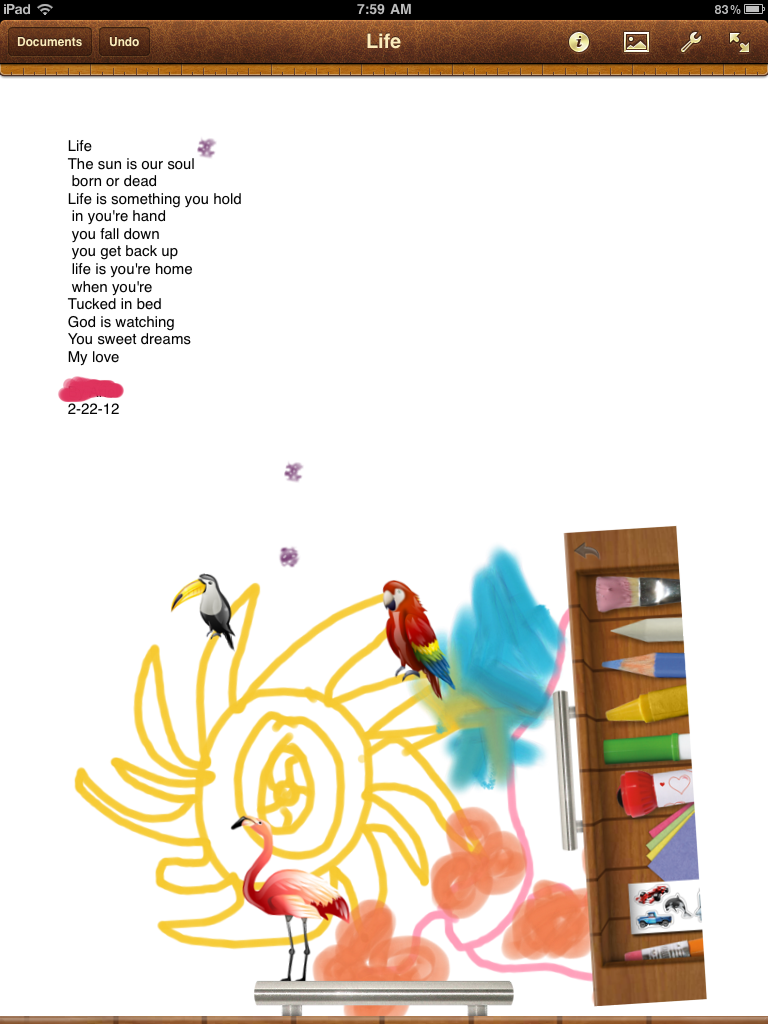
Poetry Publishing on the iPads

We’re in the heart of our unit on poetry. My students have learned several strategies that poets use including repetition, onomatopoeia, alliteration, visual imagery and line breaks. This week a few students wanted to draft their poems on the iPad. We had not tried this before, so I decided to let my students “have a go.”

As I watched my students carefully, I tried to think about how this experience was different than writing or publishing on paper. I noticed two big things right away.

First, the concept of line breaks and how to use them effectively was evident when writing on the iPad. Planning line breaks and reworking them to fit in a handwritten poem is labor intensive for the average first grade student. When writing on the iPad, line breaks become easy to fix, move and manipulate. This results in line breaks that make an impact for both the reader and writer.

Second, kids were more likely to revise their drafts when working on the iPad. Similar to what I observed with line breaks, it was easy for kids to manipulate the text and change the layout without having to erase, rewrite and reorganize. Many times I saw my students write a few lines then share their work with a think partner. When the think partner would provide feedback, kids were more willing to use the feedback to enhance their poem because insertion or revision was a quick fix on the iPad. In previous writing attempts, I had not seen my students work so flexibly or be as open to feedback.

There were additional benefits to writing on the iPad including the ease of organization and diverse options for sharing. Not all students desired to draft on the iPad and that is perfectly fine by me. I want to provide my students many options for thinking, writing and sharing their work. I hope to create an environment where kids move seamlessly between tools, modalities and resources.

It seems as though the students who drafted on the iPad were inspired by this experience–many wrote multiple poems and 4 or 5 are creating an ePub anthologies. I’ll try to provide an update next week on Poetry Friday.

Thursday, February 2, 2012

Active Literacy With the iPad: Part 1


iBooks and ePUBs

When I’m teaching reading, I’m teaching students how to be active readers.  That means that they need to engage with what they are reading.  They need to think, talk, and write.  They need to leave tracks of their thinking.   Students do this by writing post-it’s and annotating the text they are reading.  (Depending on they type of text.)

When I first began exploring the iPad I was thrilled to learn that iBooks allows students to write notes and highlight things.  Now they could have virtual post-it’s!  What was even more exciting to me was that they could e-mail me these comments to me.  Here’s an example of what one of these comment pages might look like.
As you can see, the comments come up but not the text that the student is referring to.  This can be fixed if the student highlights the sentence or phrase that inspired that thought.  This is what I plan on teaching my students next.  I think that it will be very powerful for them to articulate specific words or phrases that have triggered their thinking.

I find this format really revealing and easy to look at as well as assess.  I have enough rag tag stacks of paper and this document is a quick assessment glance at the thinking my student did during the day’s lesson.  I also think that when these comments are listed out like this it makes it easy to look for patterns in thinking.

In the example above I see the student is demonstrating an emotional connection with the text, they are questioning, and they are linking to their background knowledge.  The comment about Pandora reveals  that the student is probably connecting to their background knowledge of the mythological person Pandora and when the article refers to Pandora as a place he is attempting to reconcile this information.  This would be my opening point in a conference about the text.

So what’s the catch?
Well, the catch is that this only works with iBooks that you purchase…which I have no money for, and ePUBs.  The good news is that there is a way to turn any internet article into an ePUB for students to use.  Thanks to Bruce “Awesomeness” Ahlborn for this tip.  dotEPUB is a site that will do this dirty work for you. All you have to do is install their bookmarklet on your computer or iPad and a few simple clicks will send the article to your device.

Bam!  Presto!  Any internet article becomes a tool for practicing active literacy.

Management Issues 

I would suggest that you, the teacher, use dotePUB on your computer and then drop it into ibooks to sync to the devices.  You can install this on student iPads easily so that they can do it themselves.  However, itunes will sync all of the student articles off the devices and back on to all the other devices.  Which means that you now get every single article that each student Epubbed.  (Is that a verb?  If not you heard it here first!)  It's not a huge issue but a minor headache that you can avoid.

Wednesday, February 1, 2012

Happy Digital Learning Day!  Sometimes when we integrate technology in our class we come up with unexpected results.  One of the "side effect learning" phenomenon that has taken place in my class is the development of student photography skills.  Being an amateur photographer and artist myself, I am happy to indulge and even instruct.

Here is our first collaborative art piece that will be put up for auction at a school fundraiser tomorrow.  All of these pictures were taken in our classroom, with the exception of two.  All of them were taken and edited by students with their iPads!  I am very, very proud of their work.  In fact I'm gong to have a hard time parting with this.


Happy Digital Learning Day!

As we celebrate our 1st Digital Learning Day in my classroom, I take a moment to reflect on how significantly technology has changed how I teach and how my students learn. Device preference aside, I am so grateful for all that my children have access to. Never before has information and literacy been so available to the young learner. My students float through the day studying images, watching short video clips and building new knowledge for themselves and their peers. What has been most exciting is how technology has empowered my students! They are sharing their thinking daily with each other and the world. Previously, my students had a small audience and shared their ideas through writing or drawing. Now, they are blogging, making movies, working in Google Docs and podcasting! The technology we have access to personalizes learning and allows students to develop deep comprehension behaviors regardless of their ability to decode text. My six and seven year-olds have a new level of agency as they see themselves as active contributors and information providers for all.

A snapshot into our learning…
Last week my class followed the Caldecott Award announcement. We were thrilled to learn that a classroom favorite, A Ball for Daisy by Chris Raschka, won! My students wanted to celebrate this accomplishment. I decided this would be a great time to introduce book trailers.
I shared several exemplary trailers with my students. Then my class created a chart detailing the attributes of a terrific book trailer. We connected with children’s author and illustrator, Katie Davis on Twitter and learned even more by studying her trailer, Little Chicken’s Big Day. Finally, my students used iMovie to create their first book trailer.

When I look at the trailers my students created, I see kids who know how to discuss literature. I observe competent technology users. I see people who know that their thinking matters and they are ready to share it with the world.

Are these first attempts at making a book trailer perfect? No, of course not. We still have lots to learn. But are their first attempts at making a book trailer powerful? Absolutely. And I’m satisfied with that for right now.

Watch the book trailer here!

Happy Digital Learning Day!

Sunday, January 29, 2012

Using Edmodo in Writer's Workshop

I suppose I should give a quick introduction since this is my first post on this blog!  Hi, I'm Katie Muhtaris.  I teach fifth grade and this year I have been lucky enough to have a one-to-one iPad program in my classroom.   Although this is my first official post on the iPads at Burley blog I have been blogging for several years as a way to reflect on my teaching, share resources and effective practices, and celebrate this amazing profession.  The post below is a repost from my other blog and is from the fall. 

I've been experimenting with how to use the iPads in my fifth grade writer's workshop.  I decided to try it out by launching a unit of study using my document camera, student iPads, and Edmodo.  Usually we study a wide variety of mentor texts so that we can understand what the genre is and students can begin to notice good things that they want to include in their writing.

I showed projected articles and talked through them while students responded on Edmodo.  I gave them one question and asked them to put their thoughts in the reply section.  As the students typed their comments in I told them to post a comment and then go back and see what their classmates had written.  I also told them that they could participate verbally at any time, so we had a bit of a mix of talking and typing going on.

Plus: Everyone was participating

Minus: I wasn’t really getting the quality of responses that I was looking for…yet.  Twenty-nine kids on one discussion…too much!

Here is the first part of our discussion, with student names removed.  You can see that they start picking up on some of the elements such as title and illustrations.


As I monitored what comments the students were making I began to ask questions and respond to them verbally in order to prompt them to go deeper.  Here are some other comments from that discussion.
I notice that there is a lot of little text boxes and not one big one.
Students began to see that the article was visually and graphically organized as well as organized in the writing.  This was one of the reasons we chose this genre, to help students learn to organize.
For 12345 i see paw prints

Yeah wait why is it called high five?
They began to look at the creative details such as creative title.  High Five is a feature in Faces Magazine every month.
I like the author’s use of alliterations : five fascinating facts
They weren’t noticing much of the writing style so I made the above comment to get them thinking of it.
Started a little intro saying what your gonna learn. =]

The writer was bringing the reader in
When the conversation got too big I started adding new questions to help them focus more.


This went on for awhile,  with me prompting students to compare and contrast the articles and notice new or different characteristics as I shared various examples.  Some students got tired of trying to type so they just jumped in and shared verbally while others seemed to prefer the rapid fire conversation on Edmodo.


What I liked about this was that it provided a way for everyone to be engaged and participate.  Although they might have been too engaged and I’m wondering if they were really able to attend to the most important parts of the conversation.  I think a debrief where we use the work we did to create a class chart would help summarize the most important elements of the genre.

One thing I did at the end of class was to post a question about topics.   I asked everyone to toss out some thoughts on what they might write about because I know generating ideas is a huge struggle for many students  They put together a huge list of things and I think this might have been the best part of the lesson because at the end of the day it will be the most helpful. 

Wednesday, November 23, 2011

App Reviews: For Students By Students

As I look for my students to expand their horizons in technology, I always try to find opportunities for kids to create and use content. We know kids become more engaged and motivated when their audience expands. William Glasser's work taught us that we learn 50% of what we see and hear and we can increase that learning to 95% when we actively use information and teach others.

In first grade we spend a lot of time talking about why we share our learning. I want my kids to acquire what Peter H. Johnston refers to as "agency" in his book, Choice Words. I want my kids to see themselves as active players in the global community and think of themselves as, "I'm the kind of kid who can ________." I'm the kind of kid who can save Africa. I'm the kind of kid who can develop a new app. I'm the kind of kid who can teach others even though I'm only six-years-old. When kids begin to view themselves as empowered, content-creators and information-sharers they see the relevance of their work and are inspired to do more.

With our iPad project I'm constantly asking my students why is this important and how could we share this learning with others? As a result of these types of questions, my students decided it was important that we share apps that help us learn and understand more. Using SonicPics, my students are creating video app reviews for kids in our classroom and beyond.

When asked why is this important, here is how a few kids responded:
"Because what if kids in kindergarten don't know about it and it could really help them learn."
"Well, if your parents want to buy apps this could tell them which ones are good ones."
"Maybe other schools are thinking should we get iPads? Yes or no? This could make them say, oh yes we should!"

So, check out Room 106's app reviews! We want to share our learning and hope that you learn something new from first grade!


Friday, November 18, 2011

The Power of a Camera


In 2006, our school participated in a state-wide laptop initiative. When the MacBooks with the iSight cameras arrived, at first we saw the camera as a convenience but not necessarily a transformative change. What we soon came to realize was that sometimes, increased convenience in a busy classroom of 30 children CAN be a transformative change! Having the camera always ready, always available, and seamlessly integrated with publishing and media tools makes it possible for students to document learning, create media, and capture their world at a moment's notice. Can you do this with a separate digital camera? Of course. But is it dramatically easier with a built-in camera? You bet it is. Anytime, anywhere access makes a difference with all technology, and a camera is no exception.

The addition of a camera with the iPad 2 is an even bigger deal. To use the MacBook's camera, the photography or video subject has to be positioned in front of the computer. With the iPad dual cameras, the subject can be literally anywhere. Students can capture anything in their learning environment and then podcast, write, draw, or blog about it.

The camera also makes a difference when it comes to assessment. Here's an example: first grade students in Kristin Ziemke's classroom were sorting books into fiction and non-fiction. Kristin needed to know who understood that difference. Kids snapped photos of their piles of books and e-mailed them to her. Voila -- not only does Kristin now know who accomplished this task, but she has simple, authentic data that she can keep and refer to later. In the past, she would have had to rush around to get to all of her students and assess their efforts, and the direct evidence of learning would have been lost the second the students cleaned up their tables.

Think of all the other learning moments students can capture with an iPad camera. Experiments, demonstrations, math manipulative configurations, models, posters -- anything that shows learning and understanding can be documented. When photos are brought into Pages, Keynote, iMovie, or SonicPics, they can become part of a richer reflection that includes text or audio. Those reflections provide authentic information about student understanding and can be captured throughout the year to show growth. The ease and accessibility of the built-in camera makes it possible to weave multimedia assessment throughout the learning day, and it also puts some of the power of documentation and assessment in the hands of the students themselves. Did you do something today you are proud of? Did you overcome a challenge you have had in your learning? Did you finish a book that was especially challenging? Take a picture. Write about it. Talk about it. Those moments are important in the life of a learner, and with a built-in camera, those moments can be saved and shared.